Like this?
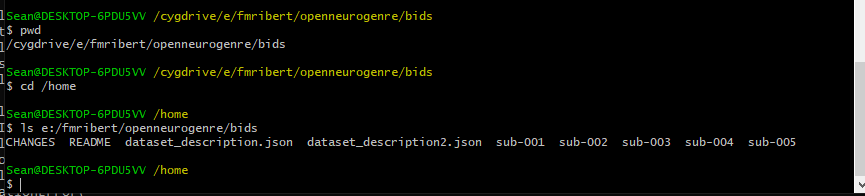
Looks good. Can you try using the path with /cygdrive in your fmriprep command (while also in a cygwin terminal)?
First using the output of pwd in the previous image (i.e no colon after the drive) then with the colon anyway but I think that just messed up the binding. Edit woops it still had sourcedata, changed it to bids and same thing.
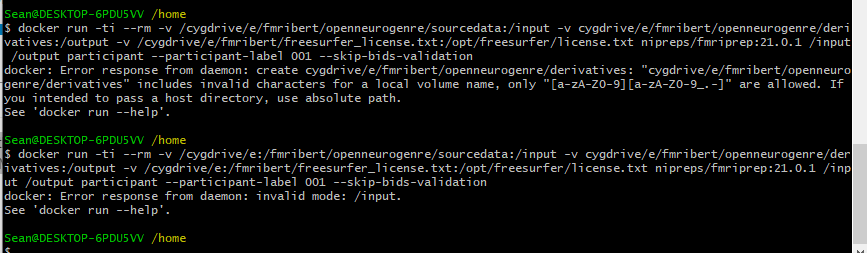
Do not use the colon. The second bind (-v) is missing the leading /
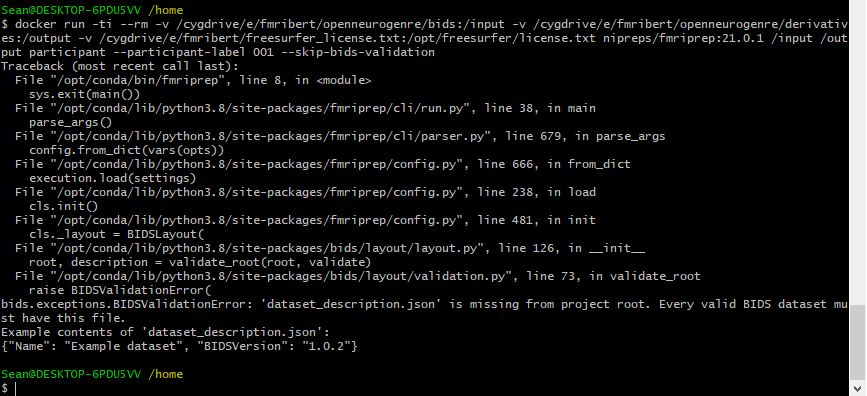
Hmmmm, can you try not renaming the mounted strings in the container? so leaving off the /input and /derivatives in the -v commands? So you only need to mount /cygdrive/e/fmribert/openneurogenre. Then instead of /input and /output in the fmriprep call, use the full paths?
I’m also just curious if you’ve tried to run BIDS validator on your local installation of the dataset (I know on openneuro website it has been validated).
I think this is what you meant, I wasn’t sure what to do with the license file binding with these changes but we can deal with that later if we need to.
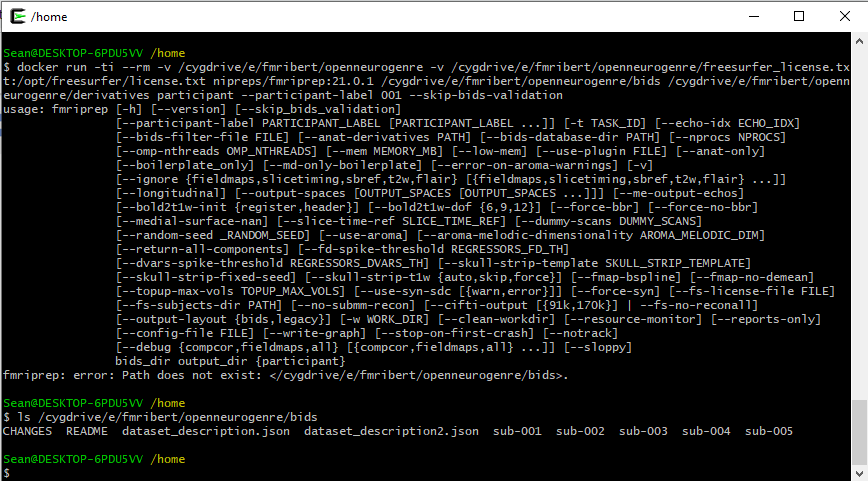
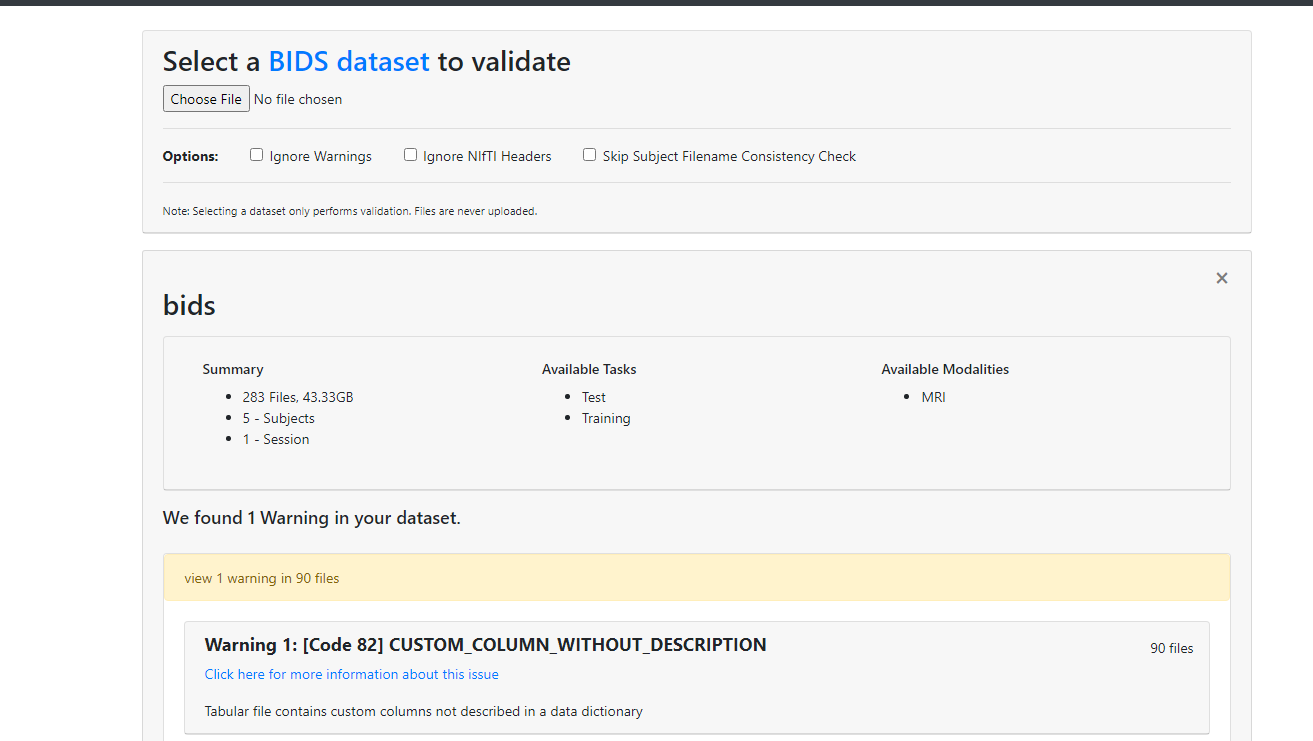
And ls /cygdrive/e/fmribert/openneurogenre/bids doesn’t return an error?
It works, it’s at the bottom of the most recent terminal picture.
Unlikely, but is there a .bidsignore file that is hidden in the directory and names dataset_description.json?

Hmm this is tricky! Going back to the original post, pre-cygwin, when you said you tried the other slash direction (to match windows), did you also change the slash direction for /input and /output?
Any actual windows paths had \, but the binding paths and fmriprep inputs had /
for example E:\my\host\path:/data blah blah fmriprep /data /output
I don’t know why this is not working. But can you try entering the docker container in an interactive shell (while mounting the paths) and seeing if the directories show up as expected? Try following something like this (but with additionally mounting the paths): Getting Into a Docker Container’s Shell | Baeldung
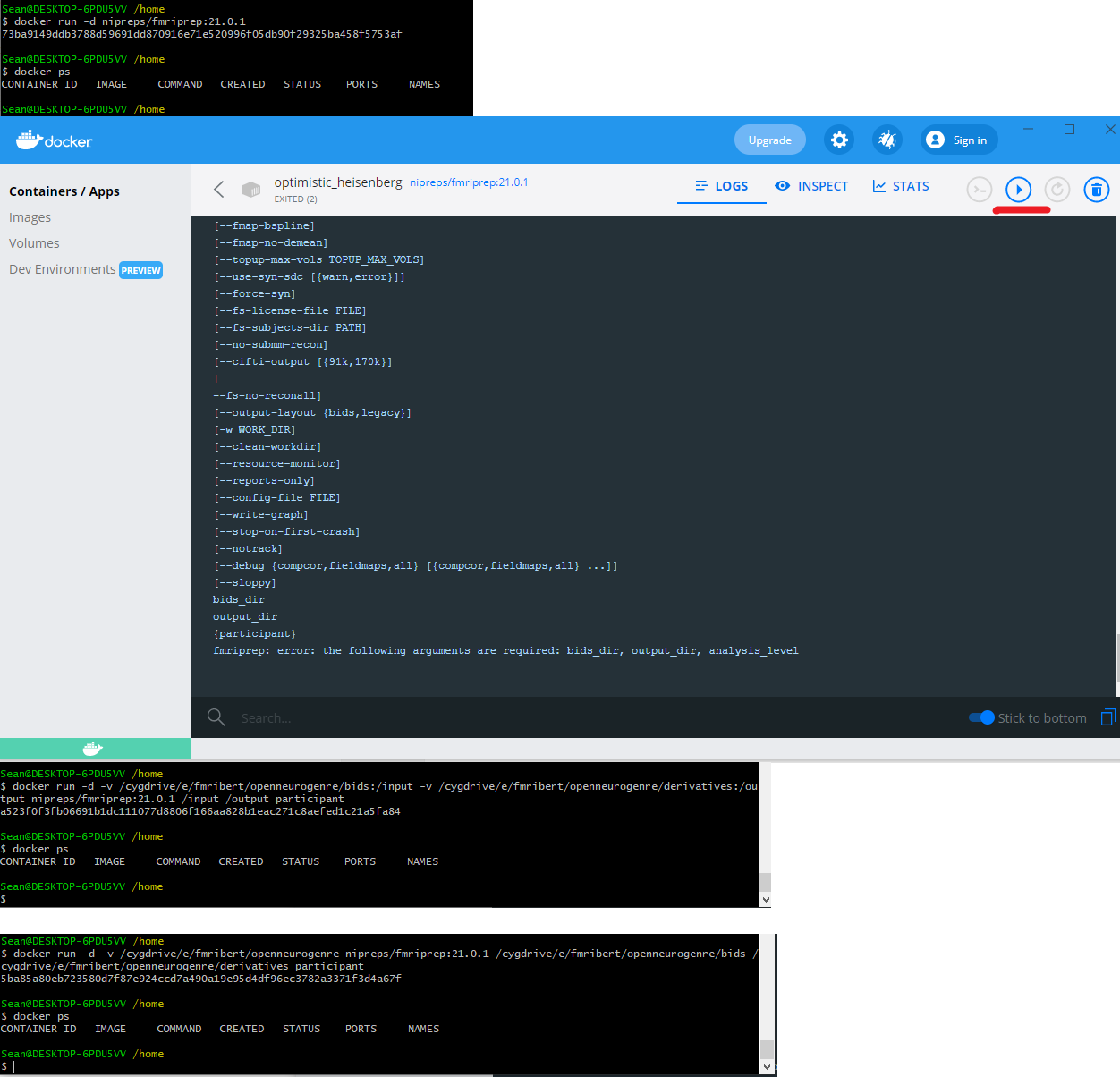
I’ve tried my best but here’s another stacked set of images. First I tried to run my container exactly as in that example you linked, but the container doesn’t show as running afterward. The second picture shows when I tried to run it directly from the Docker app, it runs and then exits almost immediately with the error you see at the bottom, that it needs arguments to run. The next image is me trying to run it from the command line with the standard binding method, doesn’t work. The final image was your other idea to just bind the main directory and give full paths to the bids and output, that also didn’t work. Long story short, I have no idea how to get this container running.
Not a direct solution to your problem, but have you considered using brainlife.io to process your data?
I’ll definitely look into it.
When I used the win system, I also encountered similar problems. So I bought a Mac computer, and the problem didn’t appear again. I consider that the path of some root files may be introduced in different ways.