I am trying to install the FSL software on my computer. For that I downloaded the .ebuild files from Gentoo Portage Overlays - sci-biology/fsl
and used the standard gentoo installation command
emerge sci-biology/fsl
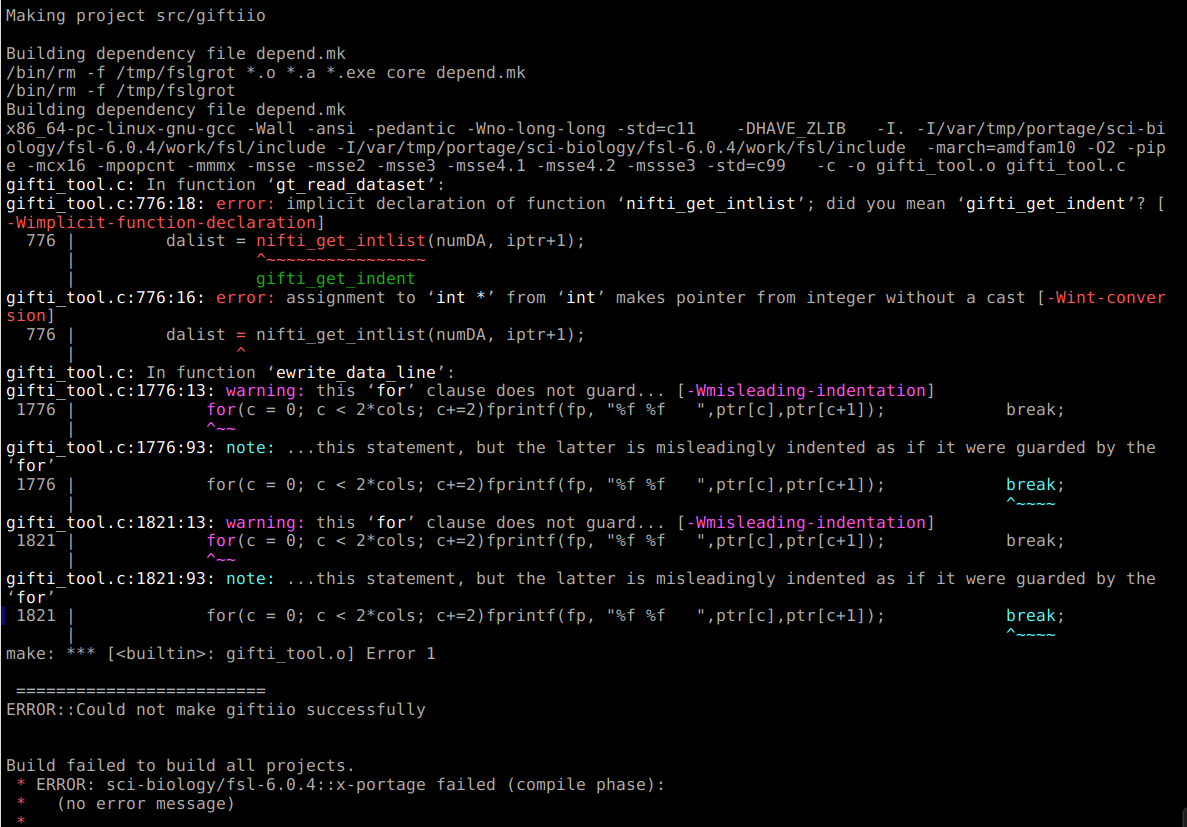
The installation process failed with a complain about the “giftiio” library, see the attached screenshot. Any help with resolving this failure is appreciated.
Hi @artan, the official instructions for installing FSL can be found at FSL - the FMRIB Software Library - the FSL team has nothing to do with this Gentoo overlay, which looks severely out-dated and probably unmaintained.
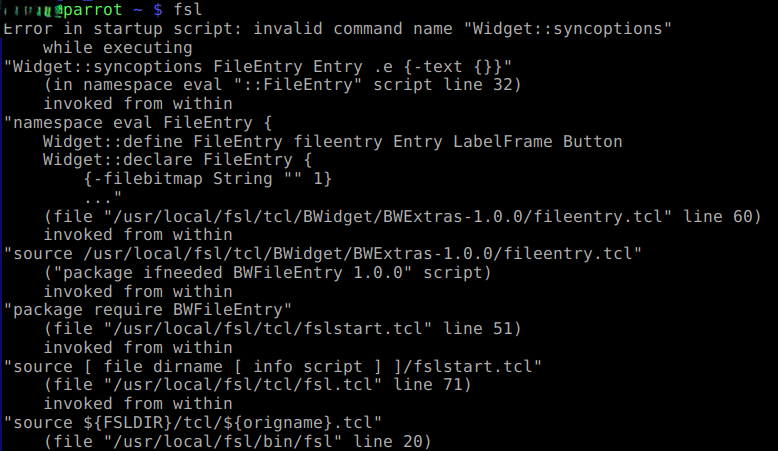
Thank you for helping. I downloaded the FSL package from the link you provided. The installation finished without errors. Now, when I try to start the fsl from the command line it produces this output:
Hi @artan, what shell are you using? Can you confirm that your shell profile has been configured correctly? E.g. share the output of running env (or the equivalent in whatever shell you are using)?
Hi @artan, ultimately the problem is with whatever other software you are using which requires the $TCLLIBPATH variable to be set. This variable is for use in development, similar to LD_LIBRARY_PATH, PYTHONPATH, etc, and should generally not be used on end-user/production installations.
But you might be able to force FSL to ignore it by modifying your copy of $FSLDIR/bin/Runtcl, adding set auto_path {} before the source ... line near the bottom, i.e.:
...<beginning of script>...

set auto_path {}

source ${FSLDIR}/tcl/${origname}.tcl

exit
I followed the process given in FSL installation page, I am trying to install the software in windows and I have tried with Ubuntu 22.04 terminal, but below is the error I got:
shreyansh@DESKTOP-MONTLKN:/mnt/c/Users/LEGION/Downloads$ python3 fslinstaller.py
FSL installer version: 3.17.0
Press CTRL+C at any time to cancel installation
Installation log file: /tmp/fslinstaller_3ltpj7pb.log
Installing FSL implies agreement with the terms of the FSL license - if you do not agree with these terms, you can
cancel the installation by pressing CTRL+C. You can view the license at https://fsl.fmrib.ox.ac.uk/fsl/docs/license.html
During the installation process, please note that some system details will be automatically sent to the FSL
development team. These details are extremely basic and cannot be used in any way to identify individual users.
If you do not want any information to be sent, please cancel this installation by pressing CTRL+C, and re-run the installer  with the --skip_registration option.
FSL 6.0.7.19 selected for installation
Where do you want to install FSL?
Press enter to install to the default location [/home/shreyansh/fsl]
FSL installation directory [/home/shreyansh/fsl]:
Downloading FSL environment specification from https://fsl.fmrib.ox.ac.uk/fsldownloads/fslconda/releases/fsl-6.0.7.19_linux-64.yml...
Downloading FSL environment specification from https://fsl.fmrib.ox.ac.uk/fsldownloads/fslconda/releases/fsl-6.0.7.19_osl-dynamics_linux-64.yml...
Downloading FSL environment specification from https://fsl.fmrib.ox.ac.uk/fsldownloads/fslconda/releases/fsl-6.0.7.19_truenet_linux-64.yml...
Installing FSL in /home/shreyansh/fsl
Downloading miniconda from https://anaconda.org/conda-forge/micromamba/2.1.0/download/linux-64/micromamba-2.1.0-0.tar.bz2...
ERROR occurred during installation!
<urlopen error [Errno 104] Connection reset by peer>
FSL installation failed!
Please check the log file - it may contain some more information to help you diagnose the problem: /home/shreyansh/fsl_installation_20260114011451.log
Hi @SHREYANSH_FAYE, it looks like the network connection was interrupted - can you try again? Use the most reliable internet connection that you have available to you.