Summary of what happened:
Hi,
I’m using QSIprep 0.22.0 for preprocessing a dMRI dataset. For two subjects, the preprocessed data seem stripped -but not as the whole slices are missing- evident as early as in the denoising report:
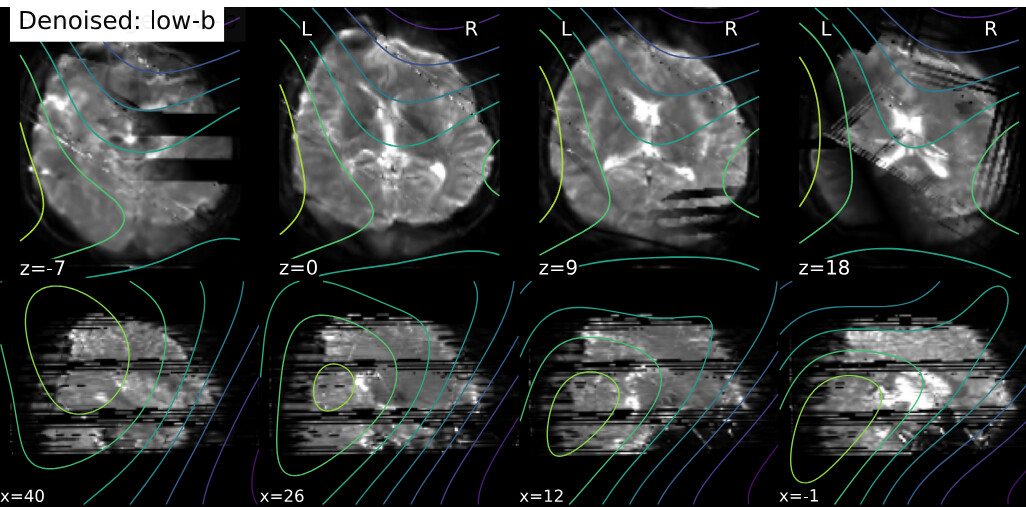
The raw data has no evident issues. I repeated the analysis with QSIprep 1.0.2; the issue remained, but different slices were missing.
Command used (and if a helper script was used, a link to the helper script or the command generated):
Here is my QSIprep call:
singularity run --nv --cleanenv -B $TMPDIR:$TMPDIR \
qsiprep-v0.22.0.sif /input/ /output/derivatives/ participant \
--fs-license-file /toolboxes/license.txt \
--participant-label ${subjid} --output-resolution 1.25 \
--denoise-method dwidenoise --unringing-method mrdegibbs \
--hmc-model eddy --eddy-config /output/code/eddy_params.json --pepolar-method TOPUP \
--anat-modality T1w --anatomical-template MNI152NLin2009cAsym --b0_to_t1w_transform Rigid \
-w /user/jije2119/work --freesurfer-input /output/derivatives/fastsurfer_2.3.0 \
--stop-on-first-crash --nthreads 30 --skip_bids_validation
Here is the eddy_params.json file:
{
  "flm": "quadratic",
  "slm": "linear",
  "fep": false,
  "interp": "spline",
  "nvoxhp": 1000,
  "fudge_factor": 10,
  "dont_sep_offs_move": false,
  "dont_peas": false,
  "niter": 5,
  "method": "jac",
  "repol": true,
  "num_threads": 1,
  "is_shelled": true,
  "use_cuda": true,
  "cnr_maps": true,
  "residuals": true,
  "output_type": "NIFTI_GZ",
  "estimate_move_by_susceptibility": true,
  "mporder": 6,
  "args": "--ol_nstd=5"
}
Version:
0.22.0 and 1.0.2
Environment (Docker, Singularity / Apptainer, custom installation):
Singularity
Data formatted according to a validatable standard? Please provide the output of the validator:
I did not BIDS-validate the data, but 60 other subjects have been successfully preprocessed.
Relevant log outputs (up to 20 lines):
The preprocessing pipeline finishes normally without any error.
Screenshots / relevant information:
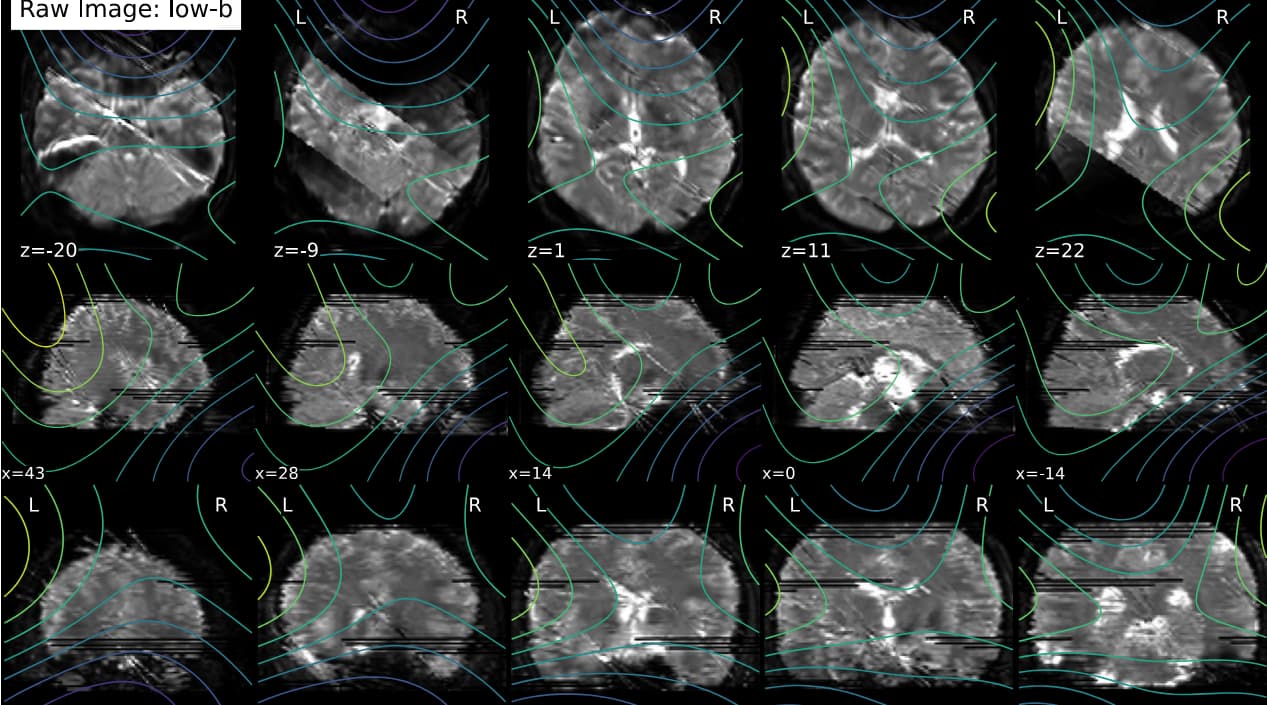
If necessary, I have 75 slices with a multi-band factor of 3. I did some additional debugging by looking in the work directory, and I’m not sure whether this is important, but I noticed that dwi_preproc_wf/hmc_sdc_wf/extract_b0_series/eddy_corrected_LPS_b0_series_mean.nii.gz has cuts (see below), whereas it isn’t in other subjects.

Any comments are appreciated.
Best,
Amir