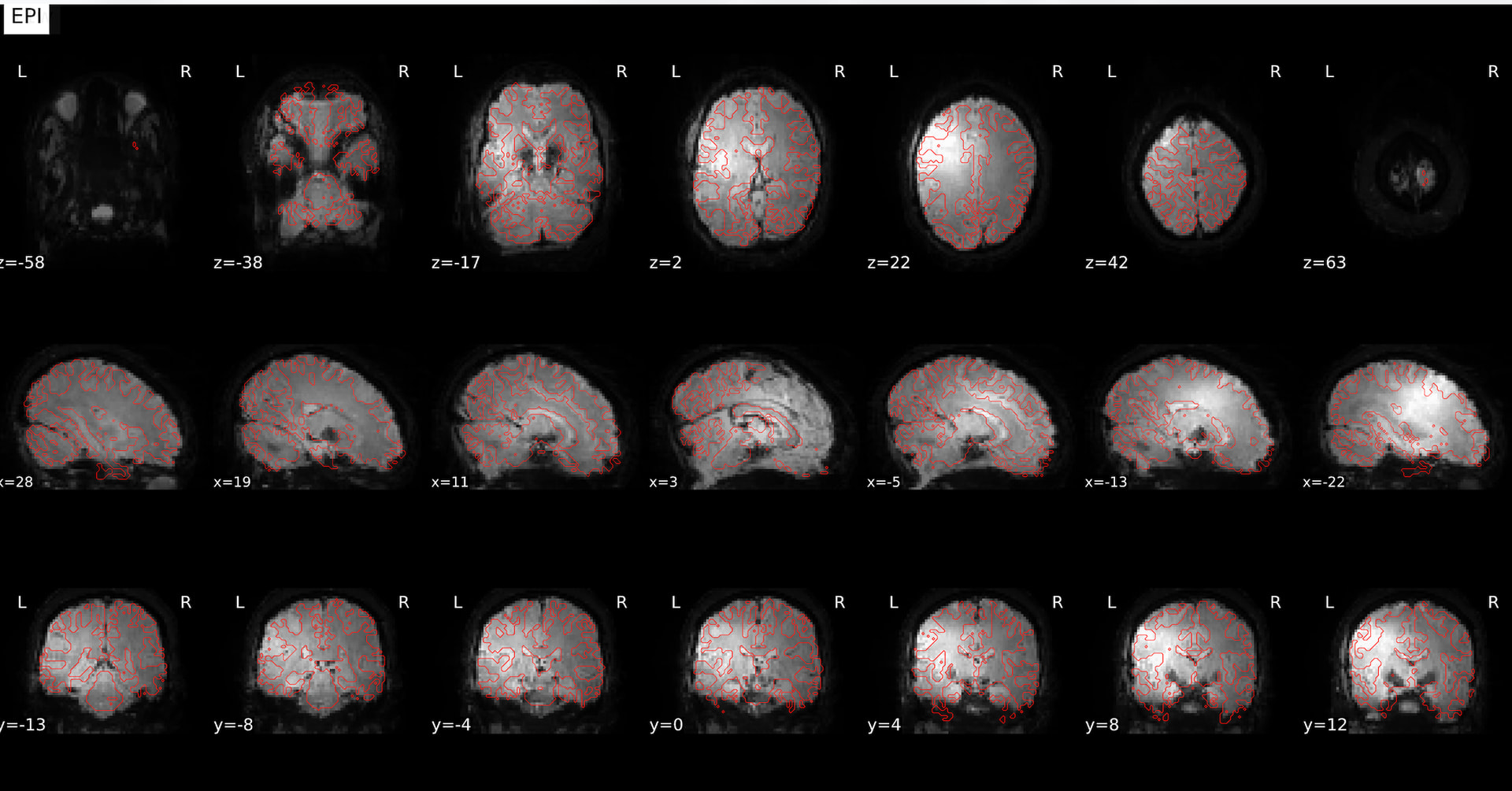
Hello! I am new to neuroimaging analysis and am preprocessing data using fMRIPrep. When viewing the summary html files, I noticed a strange looking contrast when viewing the epi image under the coregistration section (image attached). It looks almost shiny. This happens with multiple subjects, but not for every run for a given subject. For example, this only happens in 1 of 5 runs for the participant whose image is attached. Does anyone have experience with this or might know what it is/how to proceed? Thank you!
Command used (and if a helper script was used, a link to the helper script or the command generated):
In the future please use the prepopulated Software Support template to provide enough information for us to help debug you. You can see I have edited it in for you this time, and you can edit it to provide the information.
When you load the image in an image viewer, does that persist across all volumes? It is possible that these artifacts are only in the generated reference that is plotted in these. If it is persistent across the whole image, it may be failed bias correction or susceptibility distortions.
Thank you for your reply @Steven! I have loaded the image into an image viewer and am wondering which nii.gz file I should be examining. For example, I can see the shiny contrast in desc-coreg_boldref and space-MNI152NLin2009cAsym_boldref, but I do not see it in space-MNI152NLin2009cAsym_desc-preproc_bold when viewing this image.